Create Payment Method
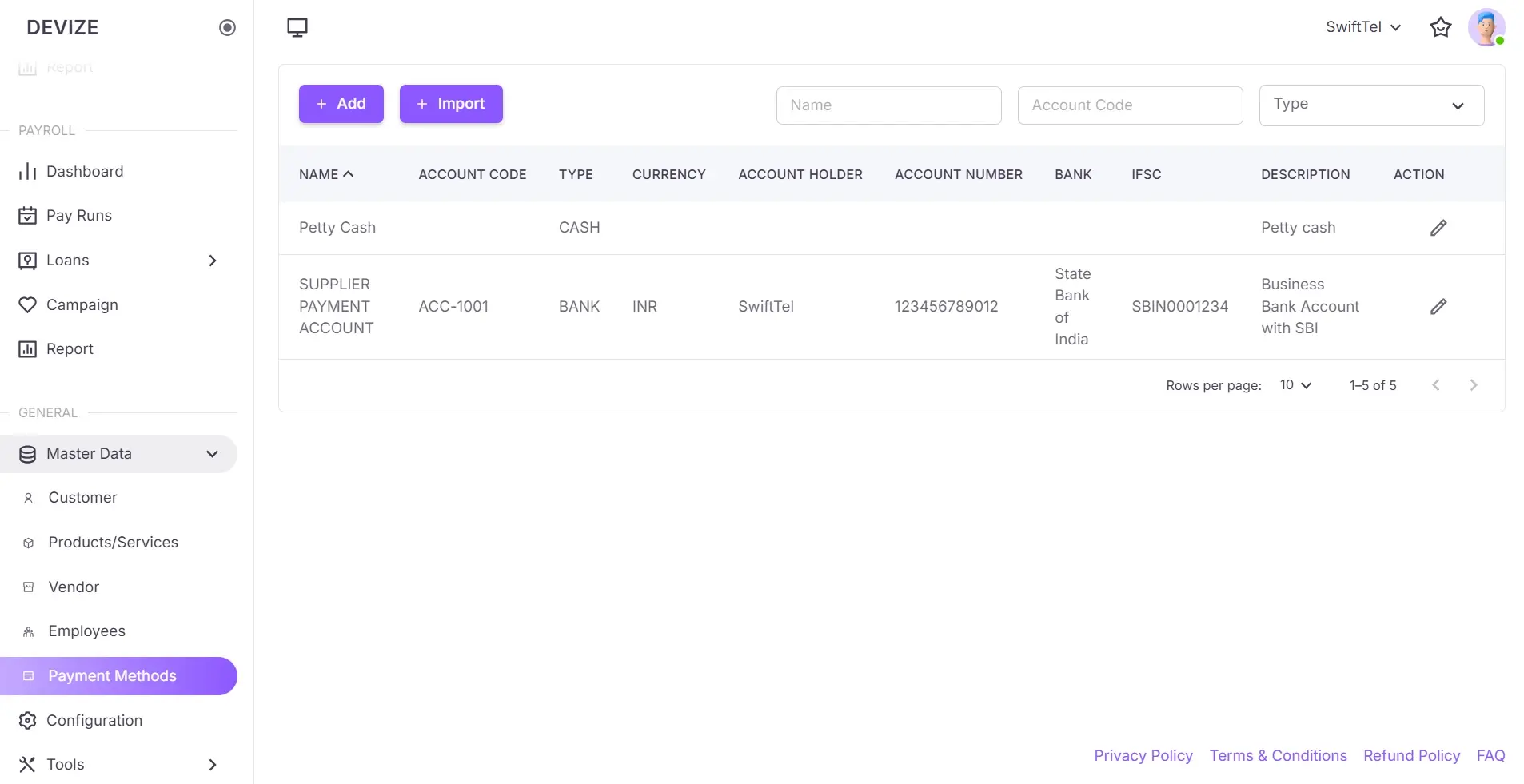
A payment method defines how transactions are processed, including details like account information and currency. Businesses use various payment methods for managing their financial operations efficiently.
Create a Payment Method
- Navigate to Payment Methods: Select Payment Methods under the Master Data section in the sidebar.
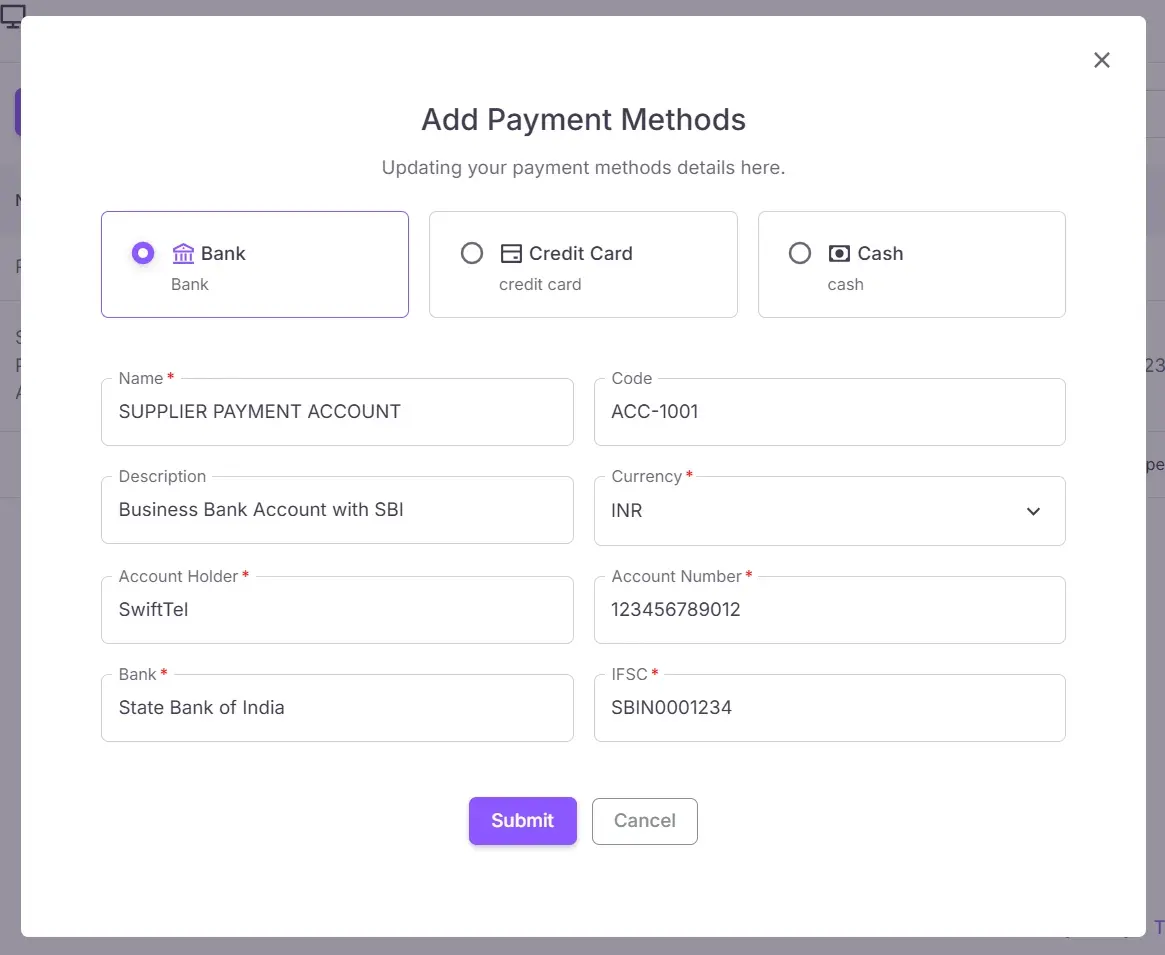
- Click Add Payment Method: Click on the Add Payment Method button to open the form dialog.
- Fill in Payment Method Details: Enter the details for the payment method such as Name , Type , Account Information , and Currency .
- Save Payment Method: Click Submit to add the new payment method to the system.
| Name | Description |
|---|---|
| Type | The type of payment method (e.g., Bank, Credit Card, Cash). |
| Name | The name of the payment method. |
| Code | The code used to identify the payment method. |
| Currency | The currency used for the payment method. |
| Account Holder Name | The name of the person or entity holding the account for the payment method. |
| Account Number | The account number associated with the payment method. |
| Bank Name | The name of the bank. |
| IFSC | The IFSC code. |
| Description | An optional description of the payment method. |