Create a Product
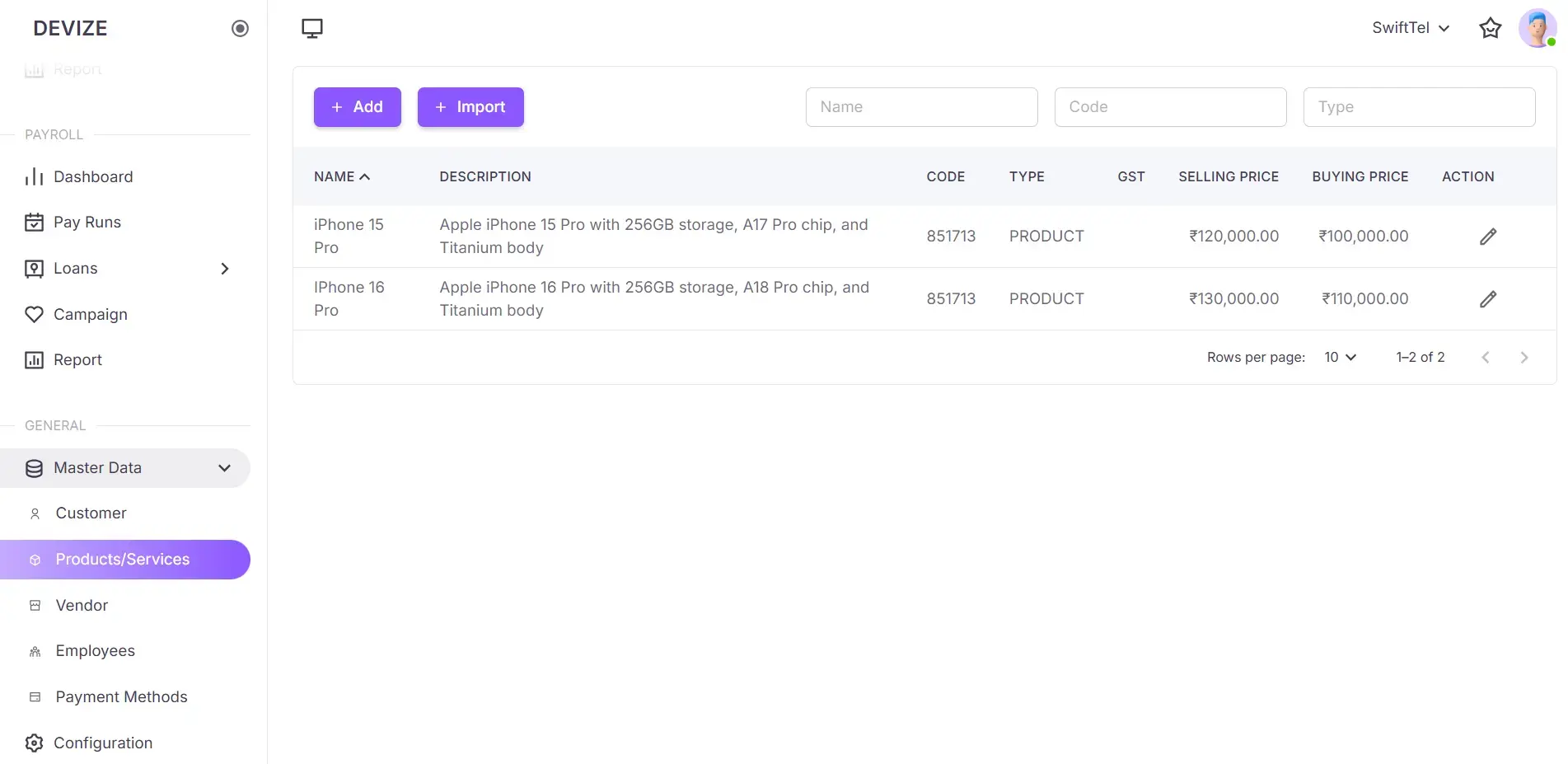
In Devize, Products refer to the goods or services that your business sells to customers. You can create and manage a list of products, including details like pricing and descriptions. Proper product management helps streamline invoicing, inventory tracking, and sales reporting.
Steps to Create a Product
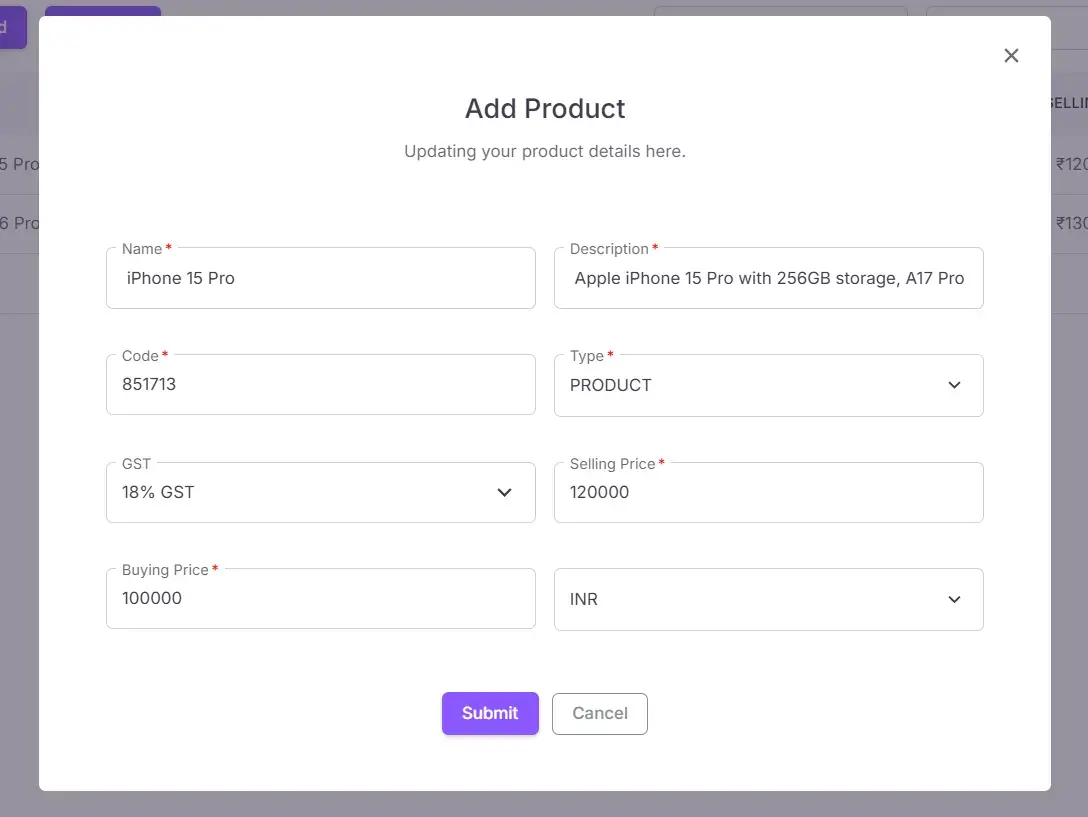
Follow these steps to create a new product:
- Go to the Products/Services Page: In the left sidebar, navigate to Master Data > Products/Services .
- Click the Add button: This opens the form.
- Enter Product Details: Fill the form with the required details
- Submit the Product: Click Submit to save the product details.
| Name | Description |
|---|---|
| Name | The name of the product. |
| Description | A brief description of the product. |
| Code | A unique code to identify the product. |
| Type | Type of the Product such as Product or Service |
| GST | The applicable GST for the product. |
| Selling Price | The price at which the product is sold. |
| Buying Price | The cost at which the product is purchased. |